Recently, hundreds of Children’s Advocacy Centers (CACs) faced a common issue in the social services world: one of their main funders, the National Children’s Alliance (NCA), changed their reporting requirements.
Knowing that many non-profits don’t have the resources to update funder reports themselves, the Collaborate team is:
- Creating a new core NCA “1-Click” Report,
- Updating the Report to reflect the requirements changes, and
- Rolling the Report out in July, community-wide, at no additional charge for CACs that already purchased a Custom NCA Report.
New & Improved in Collaborate’s NCA Report
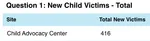
- Better accuracy in counting New Child Victims
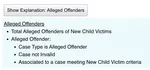
- More detailed explanations of data calculations
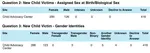
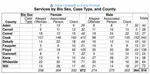
- New breakouts for Assigned Sex at Birth, Gender Identities, and Preferred Pronouns, plus Expanded Race options
- Updated age ranges for victims and offenders

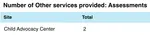
- Additional breakouts for Other Services provided, including Assessments and Prevention
More Ways to Keep Reports Up-to-Date
Along with the new NCA Report, the Collaborate community has many more Reports-centric resources at their disposal.
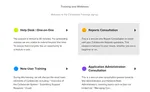
1-on-1 Reports Consultations
All organizations that use Collaborate receive complimentary monthly 1-on-1 Reports Consultations with Collaborate Reports experts. We’ll assess your needs and update existing Reports (or create new Reports), walking you through each step of the process.
More Custom “1-Click” Reports
From blending Aggregate Data and Census numbers with your Collaborate data, to mining automated referrals data for the Department of Social Services, the Collaborate team can create easy-to-use Custom “1-Click” Reports to meet your requirements.
Dynamic Reports for Any Occasion
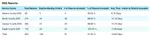
Collaborate’s Dynamic Reports feature allows you to create your own Reports, which can access every field in the database. When requirements change, Dynamic Reports are updated in a few clicks.
Plus, add charts, graphs, and crosstabs to visualize your data and help answer key questions from stakeholders.
When reporting requirements inevitably change, Collaborate has the solution. Reach out to us for a demo today.
Get Collaborate news by email.